
We know what we want to share, right? Great!
FormulaShare can share any standard or custom object which supports sharing - essentially any objects which have an org-wide default sharing of either Private or Public Read Only.
For FormulaShare to know who should get access, we need a field on the object to be shared which has this information. This field can hold either the name or record id of the entity needing access. Supported entity types are:
- Users
- Public Group
- Roles
The real power of FormulaShare comes when formula fields are used to control sharing. With this approach, it's possible to reference fields from parent objects, grandparent objects and higher (Salesforce supports up to 5 levels of parent in a formula field). Complex conditional logic can also be defined in the formula field if needed.
In the screenshot below, we’re setting up a field on Donation which holds the name of the Finance Manager Role (a text field on the Country object, which is a grandparent of Donation):

We can see the field populating below:
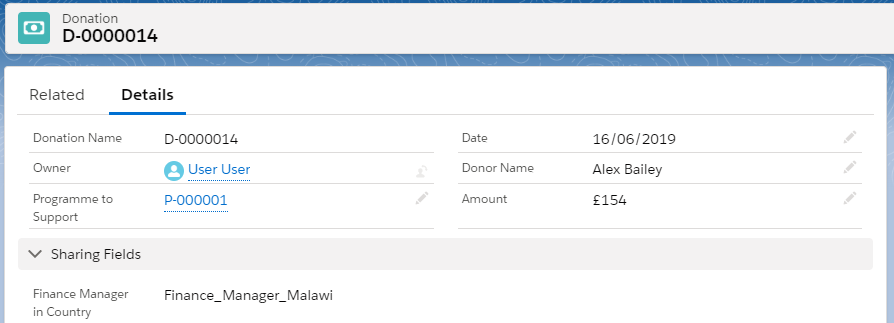
If sharing to a role or public group created in your org, the exact Role Name or Group Name should be populated in this field. These names are found in the Roles or Public Groups areas of the the setup menu.
For sharing to a particular user, the field must instead be populated with the record id of the person's user record (name is not supported). The record id of a role or group can also be used as an alternative to its name if this is preferred.
Note: It's also possible to share to the standard groups provided in the org by default. For example, to share to "All Internal Users" a group name of AllInternalUsers can be used (other standard group names can be found by querying the Group object).